Make a song in SonicUndrGrind
From a blank page to a finished MP3 in a few minutes. You write (or generate) lyrics, describe the sound, press Generate, and get two different takes of your song to choose from — each with its own cover art.
Create a free account to try it →The screen at a glance
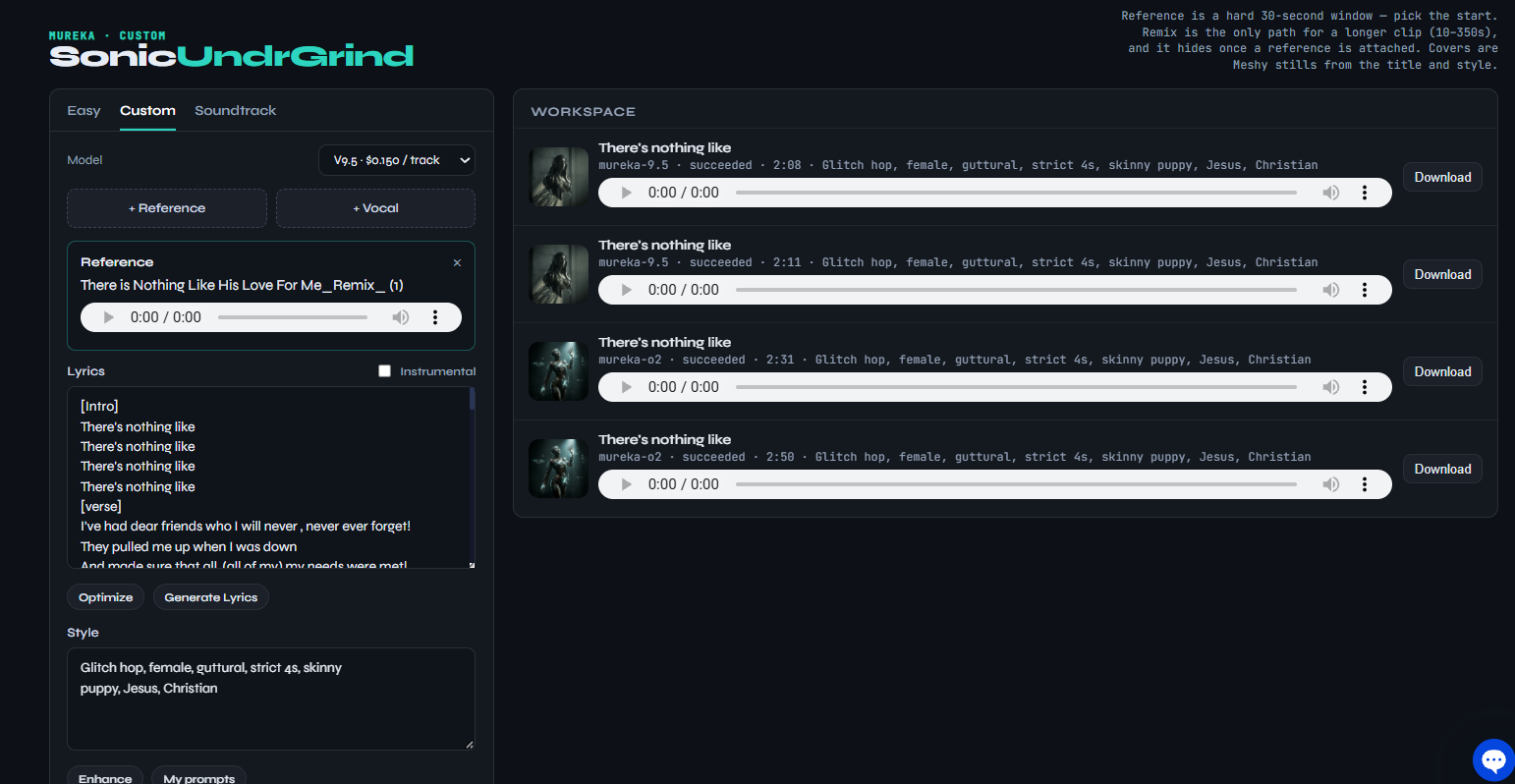
- Easy / Custom tabs — Custom shows every control. Easy hides the vocal options (Vocal clip and Vocal gender) for a quicker start. Soundtrack isn't available in this room.
- Model — which Mureka music model writes your song, with its price per track.
- + Reference · + Remix · + Vocal — optional audio you can add (covered below).
- Lyrics, Style, Vocal gender, Song title — what you'll fill in.
- Generate · 2 tracks — makes two versions of the song in one go.
- Workspace — every song you've made, with a player, cover art and a Download menu.
1Pick a model
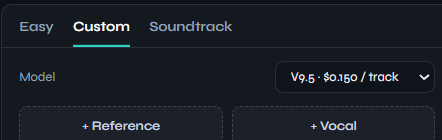
The Model menu at the top of the canvas chooses the engine. The price beside each one is per track — and Generate always makes two tracks, so a run costs twice that.
| Model | Use it for |
|---|---|
| V7.6 | Cheapest and fastest. Sketching ideas, testing a style line. |
| V8 | Solid all-rounder. |
| V9 | Newer flagship — better arrangement and vocals than V8. A great default. |
| O2 | "Thinks" about song structure first. Most coherent verse/chorus flow; a little slower. |
| V9.5 | Top quality, about 3× the price. Use it once your lyrics and style are dialed in. |
| Auto | Lets Mureka choose its current best regular model. |
2Write the lyrics — or go instrumental
Type or paste your words into Lyrics. Use section tags in square brackets so the model knows how to arrange the song:
[Intro]
Ooh, here we go

[Verse]
Packed my bags before the sun came up
Left a note beside the coffee cup

[Chorus]
I'm driving home, I'm driving home
Every mile a little less alone

[Verse]
...

[Chorus]
I'm driving home, I'm driving home
Every mile a little less alone

[Bridge]
...

[Outro]
...
- Common tags:
[Intro][Verse][Pre-Chorus][Chorus][Bridge][Outro]. Tags aren't sung — they shape the song. - Short lines sing best. Aim for about 6–12 syllables per line, one phrase per line.
- Repeat your chorus word-for-word each time it comes back — that's what makes it a hook.
- Up to about 3,000 characters — plenty for a full 3–4 minute song.
Helper buttons
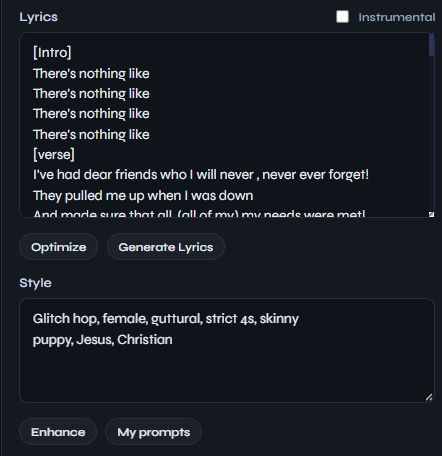
- Generate Lyrics — writes a full set of lyrics for you. It works from whatever is already in the Lyrics box; if that's empty it uses your Style, then your Title. (It also fills in a title if you haven't.) Tip: type a one-line idea first, like "a road-trip song about leaving home at dawn".
- Optimize — tidies your own lyrics into a more singable shape (structure, line lengths, tags). Read the result — it may rephrase lines.
No vocals?
Tick Instrumental. The lyrics are ignored and you get music only. An instrumental needs either a Style or a Reference clip to work from.
3Describe the sound (Style)
Style is your music prompt: the genre, mood and instruments you want. Think in short, comma-separated tags. A reliable recipe:
genre + sub-genre, mood, tempo, lead instruments, vocal character, production feel
Pop ballad
emotional piano pop ballad, heartfelt, slow 70 bpm, grand piano and strings, soft female vocals, warm intimate mix
Upbeat rock
energetic indie rock, driving drums, crunchy guitars, anthemic chorus, raspy male vocals, live-band feel
Worship
contemporary worship, uplifting, building dynamics, ambient pads, electric guitar swells, choir in the final chorus
Hip-hop
boom bap hip hop, gritty, 90 bpm, dusty vinyl samples, punchy kick and snare, confident male rap vocals
Electronic
glitch hop, dark and heavy, strict four-on-the-floor, distorted synth bass, industrial textures, guttural female vocals
Country
modern country, nostalgic summer feel, acoustic guitar and banjo, steel guitar fills, warm male vocals, radio-ready
- Be specific. "sad acoustic folk, fingerpicked guitar, harmonica, hushed vocals" beats "sad song".
- Describe the sound instead of naming artists. Words like "dark industrial, distorted synths" are more dependable than a band name.
- Tempo words help: "slow", "mid-tempo", "upbeat", or a number like
120 bpm. - Keep it focused — 8 to 15 tags is plenty. Contradictions ("calm, aggressive") give muddy results.
Helper buttons
- Enhance — expands a few words into a richer style description. Great when you only know the genre.
- My prompts — save a Style line you like (Save current style) and reuse it on any future song with one click.
4Choose the voice and name the song
- Vocal gender (Custom tab) — Female, Male, or Either to let the model decide.
- Song title — optional, up to 50 characters. It's shown in your Workspace and it also inspires the cover art, so a vivid title gives a better picture.
5Generate
Press Generate · 2 tracks. The line under the button shows progress — Submitting…, then Mureka is running…. It usually takes a couple of minutes.
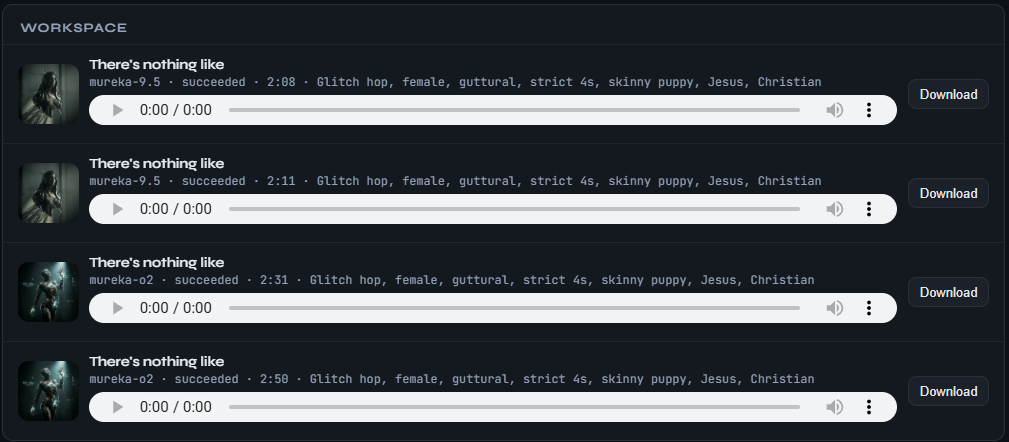
When it's done, cover art is painted for the song and the page refreshes with your two new takes at the top of the Workspace.
6Listen and download
Press play on any track in the Workspace. When you've found the one, open its Download menu:
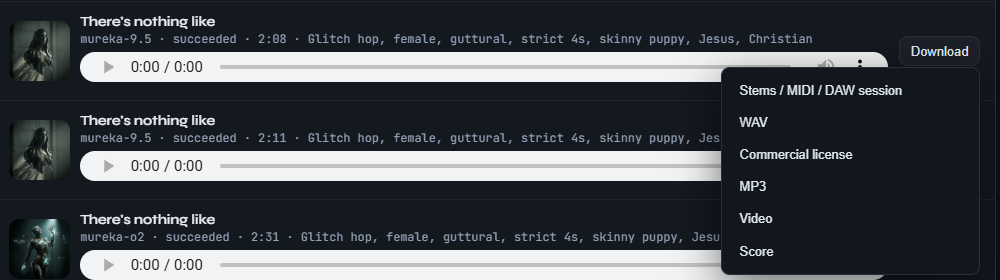
| Option | What you get |
|---|---|
| MP3 | The song as an MP3 — the one most people want. |
| WAV | Full-quality audio for editing or mastering. |
| Stems / MIDI / DAW session | The song split into parts (vocals, drums, bass…) to remix in a music app. |
| Video | A lyric video of the song. It takes a moment to make — if it says "queued", try again shortly. |
| Score | The timed lyrics as a text file. |
| Commercial license | A note on using the track commercially. |
Optional: Reference, Vocal and Remix
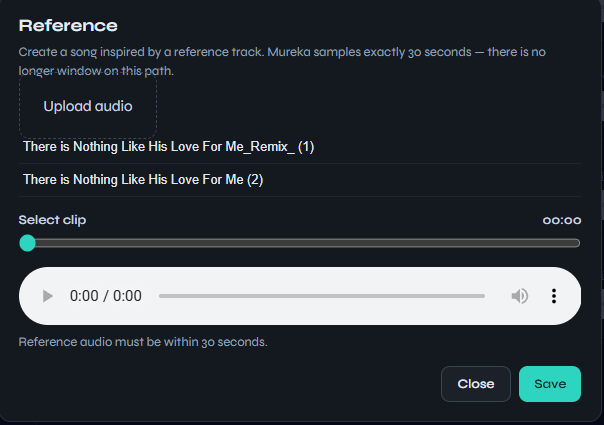
These buttons sit above the Lyrics box. You don't need them for your first song — they're for steering the result with real audio. Upload .mp3 or .m4a files; anything you've uploaded before is listed for reuse.
+ Reference
A track whose feel you want — groove, instruments, energy. The model listens to exactly 30 seconds: slide to the best part, then Save.
+ Vocal
A short, clean clip (5–15 s) of a singing voice. The song is sung with a voice in that style. Use only a voice you have the right to use.
+ Remix
Re-imagines an existing song (10 s to almost 6 minutes) using your Style. It replaces the normal lyrics path, and it's hidden while a Reference is attached.
Prompt cheat sheet
Mood words
uplifting, melancholic, euphoric, dreamy, gritty, triumphant, tender, haunting, playful, defiant
Instruments
grand piano, acoustic guitar, 808 bass, string section, brass stabs, synth pads, choir, fiddle, slide guitar
Vocal character
breathy, raspy, powerful belt, soulful, airy falsetto, spoken-word verses, gang vocals, harmonies
Production
lo-fi, radio-ready, live-band feel, wide cinematic mix, vintage 70s, crisp modern, reverb-drenched
A full example
Title:  Highway Home
Style:  heartland rock, nostalgic and hopeful, mid-tempo 110 bpm, jangly electric guitars,
        organ, driving drums, warm raspy male vocals, big singalong chorus
Lyrics: [Verse] … [Chorus] … [Verse] … [Chorus] … [Bridge] … [Chorus] … [Outro]
Troubleshooting
| You see | What to do |
|---|---|
| Write lyrics, or switch on Instrumental. | The Lyrics box is empty. Add words (or press Generate Lyrics), or tick Instrumental. |
| Instrumental needs a style or a reference clip. | Fill in Style, or attach a Reference. |
| The song ignores my Style | A Reference is attached — it takes over the sound. Remove it to use your Style. |
| Words are rushed or skipped | Shorten long lines, split them in two, and make sure each section has a tag. |
| Wrong genre or mood | Make the Style more specific, put the most important tags first, remove contradictions. |
| A song shows failed | Try again; if it repeats, simplify the lyrics or style — unusual characters or very long text can trip it. |
Need a hand?
If you get stuck, click the chat icon in the bottom-right corner of any page — we'll help.